
A few months ago, a creative lead for a mid-sized digital agency showed me a “hero reel” they had generated for a client pitch. On a 6-inch smartphone screen, it looked impeccable—a neon-drenched cyberpunk cityscape with rain reflecting off chrome surfaces. But when we moved the project to a 27-inch production monitor to begin the actual edit, the cracks appeared. A pedestrian in the background didn’t walk so much as glide through a solid bench. The rain didn’t hit the ground; it vanished two inches above the pavement.
This is the “Demo Trap.” When a new model drops, we are flooded with 4-second clips curated by research teams who have likely cherry-picked the best results from thousands of generations. For an operator building a repeatable asset pipeline, these highlights are nearly useless. Evaluating an AI Video Generator isn’t about finding the one “lucky” render that looks like a Pixar movie; it’s about understanding the failure rate, the temporal logic, and how the tool behaves when you stop asking for “cinematic” and start asking for specific, brand-compliant movement.
The Demo Trap: Why Marketing Clips Mislead Professional Creators
Most marketing for generative media focuses on visual fidelity—texture, lighting, and resolution. While these are important, they are often the easiest things for a model to “hallucinate” convincingly. A high-resolution image of a forest is relatively easy to generate because the human eye is forgiving of irregular leaf patterns. However, as soon as that forest needs to move, the technical debt of the model becomes apparent.
For content teams, the real cost of a tool isn’t the monthly subscription; it’s the “re-roll” tax. If a creator has to prompt a system thirty times to get one usable 5-second clip, the workflow is fundamentally broken for commercial use. Professional evaluation must shift away from the “look” of the gallery and toward the reliability of the first five prompts. We need to see how the model handles the mundane: a person opening a door, a car turning a corner, or a liquid being poured into a glass. These are the stress tests that separate research toys from production tools.
Stress-Testing Temporal Consistency and Physics Logic
Temporal consistency refers to the model’s ability to keep objects, colors, and lighting stable from the first frame to the last. Most models struggle with “latent drift,” where a character’s shirt might change from a button-down to a t-shirt mid-way through a ten-second clip.
To properly benchmark an AI Video Generator, operators should employ the “Physics Break” test. This involves prompting for actions that require an understanding of cause and effect.
- Fluid Dynamics: Ask for a glass of water being tipped over. Does the water flow realistically, or does it morph into a gelatinous blob?
- Object Permanence: Have a character walk behind a tree and emerge on the other side. Does the character remain the same person, or does the model “forget” their features while they are obscured?
- Gravity and Weight: Observe how objects land. Generative video often lacks a sense of mass; a falling anvil might float to the ground like a leaf.
It is worth noting a significant limitation here: currently, no generative model truly “understands” Newtonian physics. They are all, at their core, predicting the next likely pixel based on a massive dataset of previous pixels. Because of this, even the most advanced engines will occasionally produce “dream logic” where limbs merge or gravity reverses. As a creator, your goal isn’t to find a perfect model—since one doesn’t exist yet—but to find the one whose specific brand of “hallucination” is easiest to hide in post-production.
Stylistic Continuity: The Seed and Prompt-Adherence Benchmark
For a content team, a single beautiful shot is a dead end if it cannot be replicated or extended. The true test of a professional AI Video Generator lies in its adherence to stylistic constraints across multiple generations. If you are building a social media campaign, you need Shot A (a wide shot of a product) to match Shot B (a close-up of the same product) in terms of lighting, color grading, and “film grain.”
Testing for stylistic drift involves a “Stress Sequence.” Start with a base prompt and a fixed seed, then slowly modify the camera angle or the action while keeping the core subject the same.
- Baseline: “A vintage 1960s camera sitting on a wooden desk, soft morning light.”
- Variation 1: “Close up of the lens of a vintage 1960s camera, soft morning light.”
- Variation 2: “A hand reaching for a vintage 1960s camera, soft morning light.”
If the wood grain of the desk changes color or the camera model shifts from a Leica to a Nikon between prompts, the tool lacks the precision required for narrative work. This is where creator-led teams often lean on negative prompting and seed control to force the model into a narrower lane of creativity, sacrificing “flair” for consistency.
Evaluating Model Diversity: The Case for All-in-One Hubs
One of the biggest mistakes a creative operation can make is “marrying” a single model. The landscape moves too fast. A model that excels at hyper-realistic human skin tones might be terrible at stylized 3D animation. Relying on a single architecture, such as just Sora or just Kling, creates a bottleneck when a project’s aesthetic requirements shift.
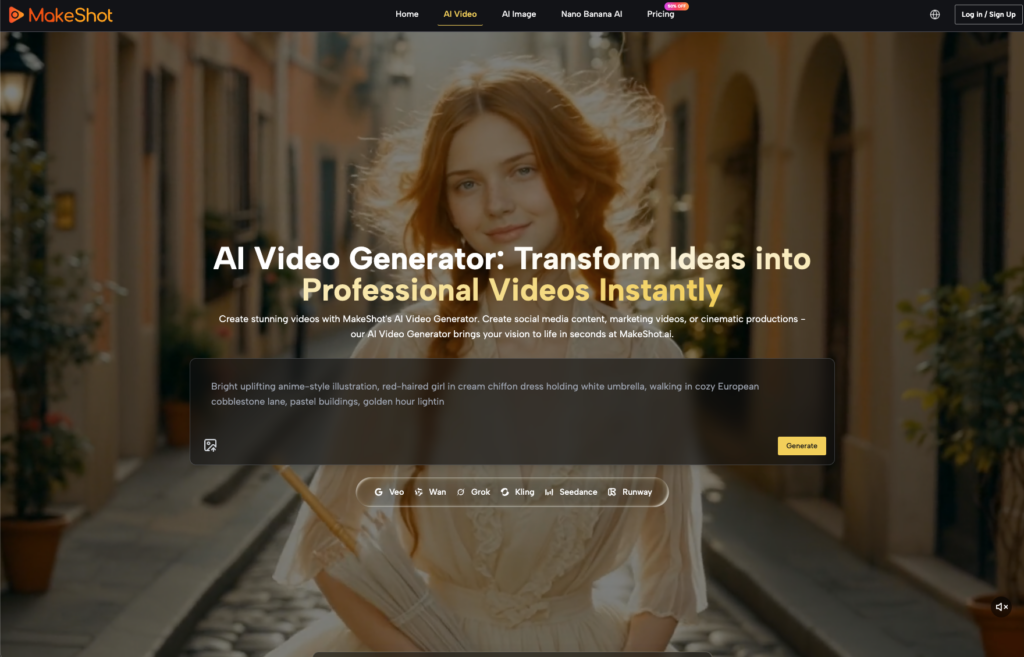
This is where platforms like MakeShot provide a distinct operational advantage. Rather than jumping between five different tabs and five different billing cycles, creators can access a unified interface that bridges various top-tier models like Veo 3, Google’s Nano Banana, and Seedance.
From an operator’s perspective, this isn’t just about convenience; it’s about “model-matching.” If a specific prompt is failing in one engine—perhaps because the engine’s training data is biased against a certain architectural style—you can immediately port that prompt into a different model without leaving the workflow. Using a platform that aggregates these tools allows a team to pivot based on the specific “physics” or “logic” strengths of each underlying model. For example, one might use a more robust model for complex character movement while switching to a faster, lighter model for background environmental plates.

The Iteration Speed Test: Beyond the Initial Render
In a commercial environment, time is the ultimate constraint. We often talk about “quality,” but we rarely talk about the “latency-to-utility” ratio. If Model A produces a 10/10 video but takes 20 minutes to render, and Model B produces an 8/10 video in 30 seconds, Model B is almost always the better professional choice. Why? Because the 8/10 video can be iterated upon ten times in the time it takes to get one shot from Model A.
When testing an AI Video Generator, teams should track their “Time to Usable Asset.” This metric accounts for:
- Queue times: How long do you wait during peak hours?
- Render speed: The raw time from “Generate” to “Download.”
- Failure rate: How many renders are discarded due to glitches?
There is an inherent uncertainty in these platforms regarding “compute priority.” During periods of high global demand, your render times might triple without warning. A robust workflow accounts for this by prioritizing tools that offer consistent, predictable output speeds over those that occasionally produce a masterpiece but often leave you staring at a progress bar for an hour.
Building a Repeatable Scoring System
To move beyond gut feelings, content teams should implement a simple 1-5 scoring system for every tool they test over a 30-day period. Score each generation on three axes: Prompt Adherence (did it do what I asked?), Temporal Stability (did it stay consistent?), and Production Readiness (could I put this in a timeline today?).
By the end of the month, the “best” tool is rarely the one with the most hype. It is usually the one that consistently scored 4s across the board rather than the one that gave you a single 5 and a dozen 1s. Professional AI video is no longer about the magic of the “first look”; it is about the discipline of the “fifth revision.” The goal is to move the technology from the realm of digital art experiments into the heart of a functioning production pipeline.